
EZV Player
HshdeveloperVideo Players & Editors
4.112.00 Reviews
- Version
- 1.0.7
- Installs
- 100.00K
- Age Rating
- Everyone
Screenshots
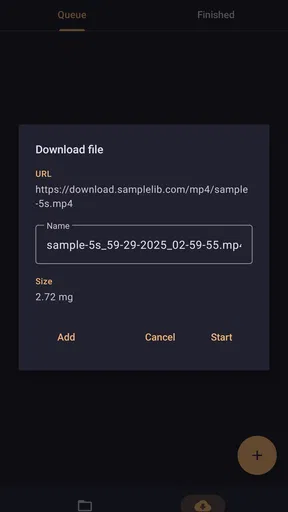
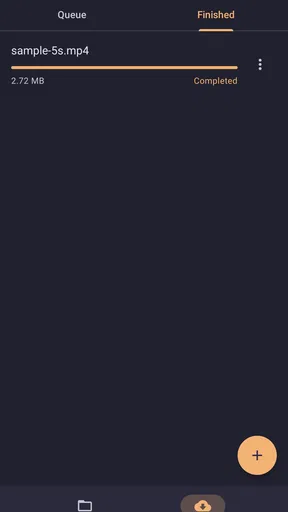
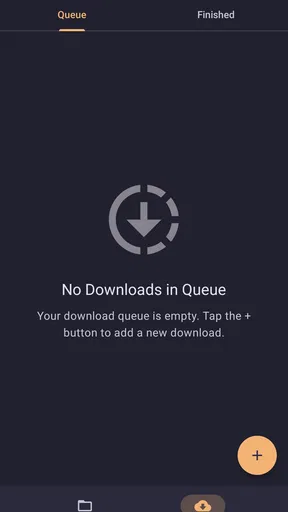
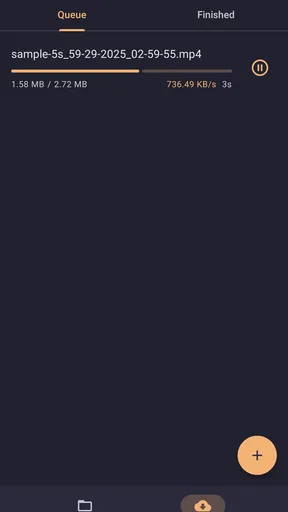
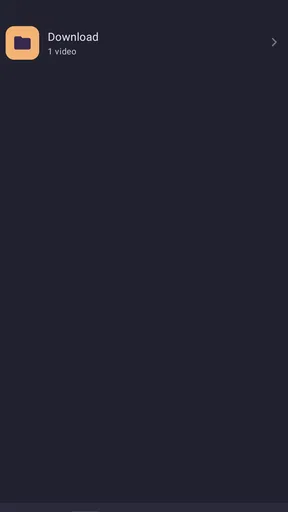
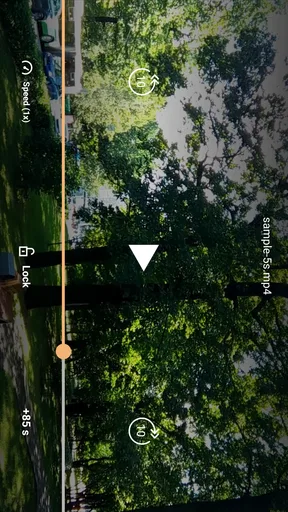
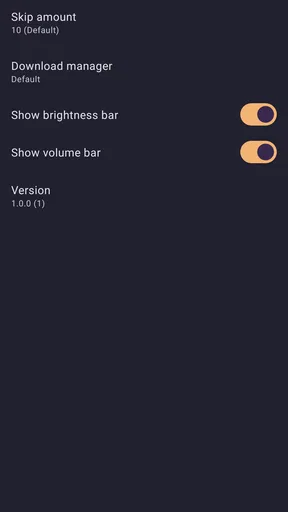
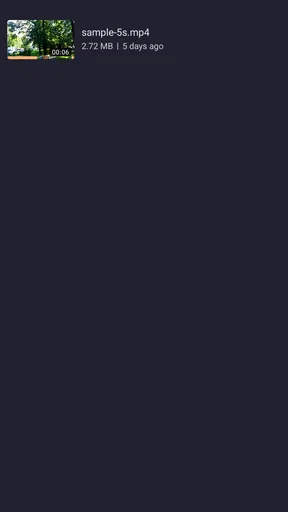
Our Review of EZV Player
 Analysis by Appyee
I usually judge a video player by what happens after the first few days. A clean interface can feel impressive at first, but the real test is whether I still want to open it when I need to watch a downloaded file, adjust playback, or stream something without fighting the controls. EZV Player is interesting because it aims to cover several of those jobs in one place: local video playback, more advanced controls, streaming, and built-in downloads.
That combination gives it an appealing first-week experience. Instead of treating the phone as a simple file viewer, it presents itself as a more capable video tool. I can imagine using it for personal clips, downloaded lessons, travel videos, or other files that do not always fit neatly into the default player. At the same time, a broad feature set creates a question that matters more than novelty: does the app remain convenient once the initial curiosity disappears?
What using EZV Player feels like at first
The app comes from Hshdeveloper and sits in the video players and editors category. It is free, carries an Everyone age rating, and runs on Android devices using version 6.0 or later. Those details make it approachable for people who want to try a separate player without committing money or replacing their phone’s existing media tools immediately.
My first impression is that EZV Player is designed for people who want more control than a basic gallery player normally offers. A standard phone player is often fine for pressing play, pausing, and moving along a timeline. It becomes less satisfying when I need to handle different sources, manage downloaded material, or make playback behave in a more deliberate way. EZV Player’s appeal is therefore less about replacing every media app and more about giving video a dedicated workspace.
The advanced-control angle is especially useful when watching something that is not meant to be consumed casually. For example, if I am following a tutorial, checking a recorded presentation, or reviewing a clip several times, precise navigation matters more than a flashy home screen. A player that makes it easier to pause, seek, and continue at my own pace can save small amounts of effort repeatedly. Those small savings are what make a video app worth keeping.
The built-in download function also changes the way I think about the app. When downloads are handled inside the same tool used for viewing, there is less need to move between a browser, a file manager, and a separate player. That can be convenient on a phone, where every extra handoff adds friction. I would still treat downloads as a deliberate workflow rather than something to start casually, because downloaded files need storage and can quickly become difficult to organize.
Streaming gives EZV Player another practical role. Instead of limiting itself to files already stored on the device, it can fit situations where I want to watch content from a source without first preparing a complete local library. This is helpful when I am checking a video temporarily or watching something that I do not expect to keep. The trade-off is that streaming depends more heavily on the quality and behavior of the source, so the app cannot remove every possible interruption.
A realistic everyday scenario
Imagine I am leaving home for a long trip. Before heading out, I use the app’s download function for a few videos I expect to watch later, then open them through the same player rather than searching through several folders. During the journey, I can use the playback controls to revisit a section or skip material I already know. Once I return, I can decide which files deserve a permanent place on the phone and which should be removed.
That scenario shows the strongest reason to try this app: it combines preparation and playback. A basic player may handle the second part well, while a browser or separate downloader handles the first. EZV Player is more appealing when I value a single, repeatable routine. The benefit is not dramatic every time I open it, but it can become noticeable whenever I regularly switch between streaming and offline viewing.
Where the first-week excitement can mislead
The first few sessions may make the app feel more useful simply because there are several functions to explore. That is not the same as proving that every function belongs in my daily routine. I would avoid installing it solely because “advanced controls” sounds impressive. The better question is whether I frequently watch videos that need careful navigation or whether my normal viewing is already handled perfectly by the phone’s default player.
There is also a learning cost whenever a player offers more than the basics. Extra controls can be valuable, but they may make the screen feel busier or require a short adjustment period. For someone who only wants immediate playback, that additional choice can feel like clutter. I see EZV Player as more suitable for curious viewers and practical media users than for people who want the simplest possible tap-and-watch experience.
Why it may still matter after the first month
Long-term value in a video player comes from repeated habits, not from the number of options I notice on the first day. EZV Player has a reasonable chance of earning a regular place if I use at least two of its main roles together, such as streaming and local playback or downloads and advanced navigation. If I only use one basic function, the default player may remain more convenient.
My strongest month-to-month use case would be a mixed library. Some videos might be stored locally, others might be watched through a stream, and a third group might be saved temporarily for a period without reliable connectivity. Having one familiar player for those situations reduces the mental overhead of remembering which app handles which file. That consistency is more important than novelty once the app becomes part of a routine.
A useful habit would be to treat downloads as temporary projects. I would create a simple cycle: download what I actually intend to watch, use the player’s controls to finish or review it, and then remove material that no longer has a purpose. This is a less obvious advantage of a combined player and downloader. Because the same app is involved from start to finish, it is easier to remember that offline content needs occasional attention.
Another good workflow is using the app as a review tool rather than only an entertainment player. When I need to inspect a demonstration, replay a difficult explanation, or compare several moments in a recording, advanced controls can turn a vague viewing session into a focused task. That makes the app more valuable for students, hobbyists, and anyone who learns from video than it would be for someone who mainly watches short clips.
EZV Player has reached over one hundred thousand installs and holds a 4.1 average from around four hundred ratings. I read that as a sign that enough people have found a reason to try it, while the rating also suggests I should keep my expectations balanced rather than assume it will suit every device and viewing style. Its current version is 1.0.7, so I would keep an eye on how comfortably it fits my own routine instead of judging it only by its early impression.
How it compares with familiar alternatives
The default Android video player usually wins on convenience. It is already present, familiar, and often connected naturally to the gallery or file browser. If I only need to open occasional clips, EZV Player may not offer enough extra value to justify changing habits. The built-in option is also the safer choice for someone who dislikes managing another app.
A dedicated local media player can be a better alternative for users whose priority is broad file handling, library organization, or highly specialized playback behavior. Those apps often attract people who maintain large collections and want detailed control over how everything is sorted. EZV Player makes more sense when streaming and built-in downloads matter alongside playback, rather than when local-library management is the only goal.
Streaming-focused apps may also be preferable when all of my viewing already happens inside one established service. In that case, a separate player can feel unnecessary because the service already remembers progress and organizes content. EZV Player’s advantage appears when my sources are more varied and I want a flexible viewing tool instead of a single-content ecosystem.
Download-focused tools can be more appropriate when obtaining and organizing offline material is my main task. EZV Player is not automatically the best answer for someone building a large archive. Its appeal is the connection between getting a video and watching it, not necessarily replacing every dedicated file-management solution. That distinction helps prevent disappointment.
The maintenance that determines whether it stays installed
The main maintenance burden is likely to be content management rather than constant interaction with the player itself. Downloads can quietly accumulate, especially when a video is saved “just in case.” I would make a habit of reviewing stored files after a trip, course, or project ends. Without that routine, the convenience of offline viewing can turn into a messy collection that makes finding the next video harder.
I would also keep streaming and downloading as separate decisions. If I am on a stable connection and expect to watch something once, streaming is probably the cleaner choice. If I know I will be offline or want to avoid repeated buffering, downloading may be worthwhile. Choosing based on the situation prevents unnecessary storage use and keeps the app’s broader feature set from becoming a source of clutter.
Another practical tip is to test my preferred control style early, then stop adjusting it once it works. Advanced settings are useful when they solve a recurring problem, but repeatedly changing controls can make an otherwise simple player feel demanding. I would customize only what improves navigation for me, especially if I use the app for study or repeated review.
Because the app supports Android 6.0 and later, compatibility is broad enough to make it relevant for older devices as well as newer ones. Still, a phone’s age can affect the overall experience through storage, network performance, and general responsiveness. I would not blame the player for every interruption, but I would judge it by how smoothly it fits the particular phone I use every day.
What could become tiring
The first possible source of fatigue is having too many choices for simple viewing. If I want to watch a short clip immediately, a richer player may feel slower than the default option. The second is the need to make decisions about downloaded content. Every convenience feature creates a small responsibility, and built-in downloads are useful only when I am willing to keep them organized.
Streaming can create another kind of frustration. An app can provide the playback environment, but it cannot guarantee that every source will behave consistently. Connection quality, source availability, and the nature of the content still matter. I would therefore avoid treating EZV Player as a universal fix for streaming problems. Its value is in bringing playback and source handling together, not in eliminating the limits of the internet.
I would also be cautious if I expect a full media-library experience with elaborate cataloging. EZV Player’s strongest identity is a flexible player with streaming and download capabilities. Someone who wants a carefully curated archive, extensive sorting, or a specialized home-theater setup may be happier with a tool built specifically around those priorities.
For families, the Everyone rating makes the app broadly approachable, but that label should not replace ordinary judgment about what people choose to stream or download. The app is a video tool, and the content accessed through any video tool depends on the user and the source. I would still supervise shared devices according to the household’s own rules.
Who should keep EZV Player installed?
I would recommend it to someone who regularly moves between local files, streams, and temporary offline viewing. It is particularly appealing if advanced playback controls have a practical purpose in my day, such as revisiting lessons, checking recordings, or navigating long videos. The combination is also useful for travelers and users who prefer one repeatable workflow instead of several separate apps.
I would be less enthusiastic for a person who watches only through a single streaming service, rarely downloads anything, and is already satisfied with the phone’s default player. In that situation, the extra flexibility may not compensate for the additional app and the need to maintain downloaded material. A specialized local player may also be a better fit for someone with a large, carefully organized collection.
The most important test is simple: after the initial exploration, do I still use at least one of the app’s less-basic functions? If the answer is yes, EZV Player has a clear reason to remain installed. If I only press play on occasional files, its broader design is probably unnecessary.
My long-term verdict
EZV Player earns consideration because it connects three useful activities: watching stored videos, streaming content, and downloading material for later. In my view, that combination has more lasting value than a novelty feature that I use once and forget. The app is free, its age rating is Everyone, and Hshdeveloper has made it accessible to a wide range of Android users.
Its lasting appeal depends on discipline. I would keep downloads under control, choose streaming or offline viewing intentionally, and use the advanced controls only when they genuinely improve navigation. Follow those habits and the app can become a practical everyday player rather than another icon that disappears into a crowded screen.
My final recommendation is therefore selective but positive. EZV Player is worth trying if your video routine is varied and you want one flexible tool for playback, streaming, and downloads. It is not the obvious replacement for every default or specialist alternative, and users who value absolute simplicity may prefer something leaner. For me, though, its recurring value comes from reducing the number of steps between finding a video, saving it when necessary, and watching it comfortably.
Verdict
Strengths of EZV Player
- Supports smooth playback of common video formats.
- Simple interface makes browsing local videos straightforward.
- Useful for reviewing footage from compatible EZV devices.
- Playback controls are easy to access on smaller screens.
- Can be convenient for monitoring recordings while away from a computer.
Limitations of EZV Player
- Compatibility may be limited to supported EZV hardware or file types.
- Performance can vary depending on the phone and video resolution.
- Large recordings may consume significant storage and mobile data.
- Some features may require device permissions or network access.
- The app may feel basic compared with full-featured media players.
Similar Picks in This Category
View All
Google TV
Google LLC3.9

iTunes
Apple4.7

YouTube
Google LLC3.8

MX Player
Amazon Mobile LLC4.2

CapCut - Video Editor
Bytedance Pte. Ltd.3.5

PLAYit-All in One Video Player
PLAYIT TECHNOLOGY PTE. LTD.4.5
Frequently Asked Questions
What is EZV Player, and what can I use it for?
EZV Player is a video playback application designed for viewing compatible media files on a mobile device. Depending on the version and supported formats, it may be useful for playing locally stored videos or accessing content provided through a compatible EZV-related service. Before downloading, check the app’s current description, supported file types, and whether it works with your particular device or video source.
Is EZV Player compatible with Android and iOS devices?
Compatibility can vary according to the operating system, device model, and app version. Users should verify the minimum Android or iOS requirements listed on the official download page before installing EZV Player. Older phones and tablets may experience limited performance, unavailable features, or installation problems, while newer devices generally provide smoother playback and better support for high-resolution video.
Does EZV Player support all video formats and subtitles?
No video player can be assumed to support every available format, codec, audio track, or subtitle type. EZV Player’s compatibility depends on the version installed and the media being opened. If you plan to watch specific files, confirm that their container, codec, audio format, and subtitle format are supported. Testing a sample file first can help avoid playback or synchronization issues.
Does EZV Player require an internet connection to work?
The internet requirements depend on how you use EZV Player. Locally stored videos may be playable without a connection, but downloading media, accessing online content, signing in, receiving updates, or connecting to a remote service may require internet access. Users should also review mobile-data usage, since streaming or downloading high-resolution videos can consume a significant amount of data.
Is EZV Player safe to download and use?
For safer installation, download EZV Player only from a reputable official store or a verified developer source. Review the publisher name, recent updates, user feedback, requested permissions, and privacy information before installing. Avoid unofficial modified versions, as they may contain unwanted software. Keep your operating system and the application updated, and do not grant permissions that are unrelated to video playback.
